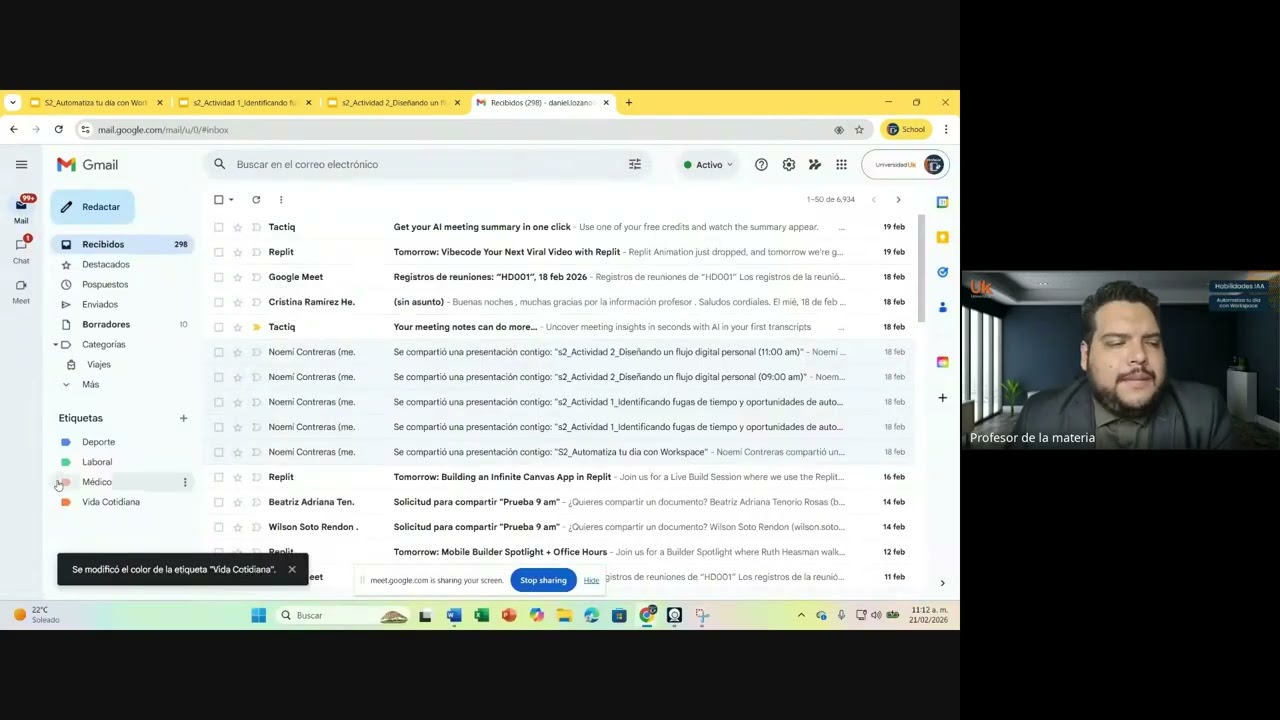
Automatiza tu día con Workspace
Keywords
Summary
184 words
Critical Evaluation
Value of the Information & Strength of the Argument
The video provides practical, actionable advice on using Gmail and Google Calendar for productivity. The instructor demonstrates features live, which adds credibility and helps viewers understand the steps. The argumentation is based on personal experience and common use cases, making it relatable. However, the content is not deeply analytical or backed by research; it is a straightforward tutorial. The value lies in its immediate applicability for users looking to improve their digital organization.
82 words
Title / Content Match
The title accurately reflects the content, which focuses on automating daily tasks using Google Workspace tools.
Quality & Reliability
6/10
The video is a practical tutorial on using Gmail and Google Calendar, based on the instructor's direct experience and demonstrations. It provides accurate, up-to-date information about the tools, but lacks citations to external sources or official documentation. The content is reliable for its intended purpose, though not deeply technical or research-based.
Key Moments
Markers derived by PSI from the transcript: the creator did not define chapters.
- Introduction and class rules
- Introduction to the topic: Automating your day with Workspace
- Overview of Gmail as a center of operations
- Demonstration of Gmail labels and search
- Q&A on managing email storage and subscriptions
- Transition to Google Calendar and its features
- Demonstration of creating events, tasks, and reminders
- Q&A on calendar notifications and extensions
- Introduction to the group activity
- Instructions for breakout rooms and activity details
Contribution & Novelties
The video offers a practical, classroom-based approach to using Google Workspace for productivity, with live demonstrations and student interactions. It emphasizes the integration of Gmail and Calendar to streamline workflows. While not groundbreaking, it provides a useful tutorial for beginners.
Pour aller plus loin :
- Google Workspace Learning Center — Official tutorials and best practices.
- Gmail Help — Official documentation for Gmail features.
- Google Calendar Help — Official documentation for Calendar features.
72 words
Radar Profile
The radar profile shows moderate scores across all dimensions, with slightly higher scores in quantity and quality of information, and lower in technical level. This indicates a balanced but not deeply technical tutorial, suitable for beginners.