Z-image Advanced Tutorial: Controlnet, inpainting, 4K+ upscaling & more
Keywords
Summary
146 words
Critical Evaluation
The video is a well-structured tutorial that delivers on its promise of covering advanced Z-image techniques. The creator, AI Search, demonstrates a clear pedagogical approach, breaking down each workflow into manageable steps and explaining the purpose of each node. The use of official workflows from ComfyUI docs and GitHub repositories adds credibility, as these are authoritative sources for the Z-image ecosystem. The tutorial is practical, with live demonstrations and real-time results, which helps viewers understand the expected outcomes. The technical depth is appropriate for the target audience of intermediate users; while it does not delve into the underlying algorithms of ControlNet or upscaling, it provides sufficient detail for users to replicate the workflows. The video’s structure is logical, progressing from ControlNet to inpainting to upscaling, and each section is clearly delineated with timestamps. The sponsor segment is clearly identified and does not detract from the content. One minor weakness is that the video assumes prior knowledge of ComfyUI and Z-image installation, which may limit accessibility for complete beginners. Additionally, the reliance on third-party custom nodes (e.g., ComfyUI ControlNet Auxiliary) could introduce potential compatibility issues, though the creator addresses this by providing installation instructions. The adéquation between title and content is excellent, as the video covers all mentioned topics. Overall, the tutorial is of high quality, offering valuable insights and practical workflows for advanced users. The comments from viewers are overwhelmingly positive, praising the clarity and usefulness of the tutorial, which further supports its effectiveness.
244 words
Title / Content Match
The title accurately reflects the content, covering advanced Z-image features including ControlNet, inpainting, and upscaling.
Quality & Reliability
8/10
The tutorial is practical, based on official workflows and models, with clear step-by-step instructions. The creator demonstrates each technique live, showing results and settings. Sources are official (ComfyUI docs, GitHub) and the video is sponsored, but the sponsor segment is clearly separated. Minor limitations: no deep technical explanation of underlying algorithms, and some reliance on third-party custom nodes.
Chapters
Cited Sources
- Z-image Turbo ControlNet workflow (ComfyUI docs) — Official workflow and instructions for using ControlNet with Z-image.
- SeedVR2 Video Upscaler workflows (GitHub) — Example workflows for SeedVR2 upscaling, used in the 4K upscale section.
- Z-image full installation tutorial — Previous tutorial by the same creator, referenced for installation steps.
- AI Search website — Creator's platform for AI tools and jobs.
- AI Search newsletter — Newsletter for updates and additional content.
Concurring Sources
- ComfyUI documentation — Official documentation for ComfyUI, which is the platform used in the tutorial.
- Z-image GitHub repository — Potential source for Z-image code and updates, though not directly cited in the video.
External References
Contribution & Novelties
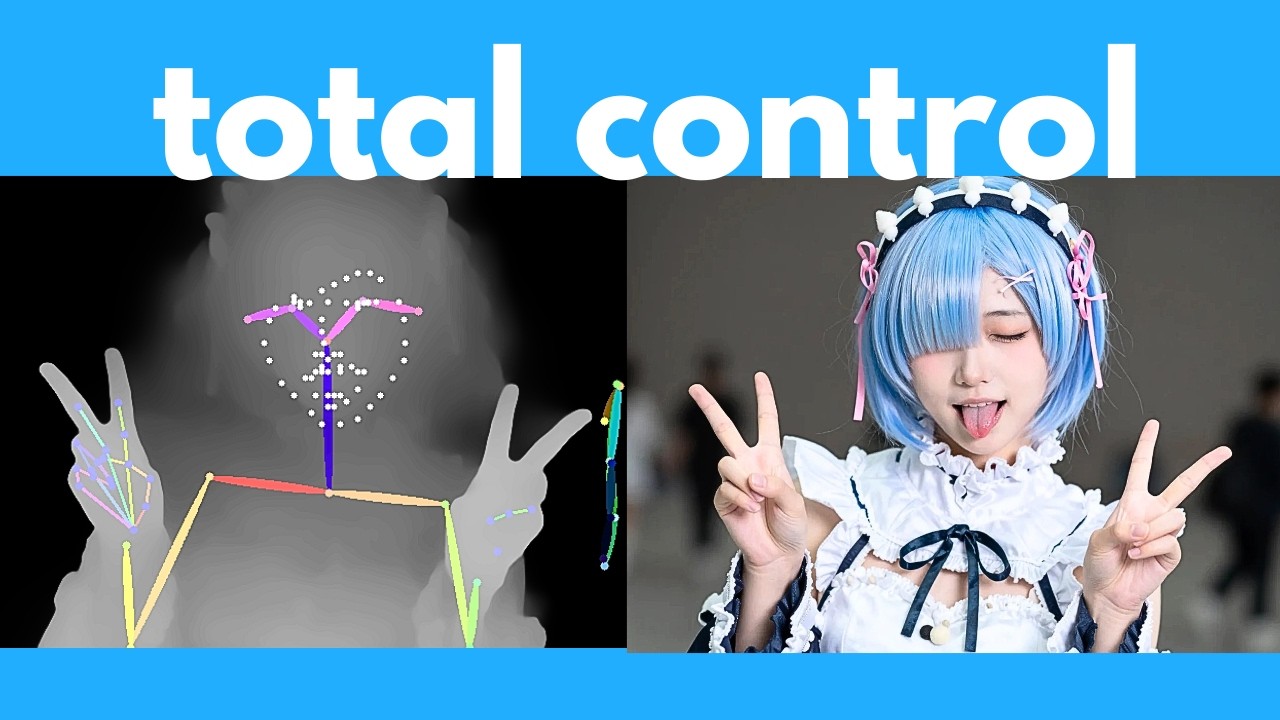
The video provides a comprehensive, up-to-date tutorial on advanced Z-image features, including ControlNet integration, inpainting hacks, and multi-pass upscaling. It fills a gap by offering practical, step-by-step guidance that is often missing from official documentation. The demonstration of using ControlNet with different detectors (canny, pose, depth) is particularly valuable, as it shows how to control composition effectively. The inpainting hack using the current Turbo model is a clever workaround before the dedicated Edit model is released. The upscaling techniques, including the multi-pass method and SeedVR2, offer solutions for achieving high-resolution outputs. The video also highlights the speed of Z-image Turbo, making it a practical choice for real-time applications.
Pour aller plus loin :
- ControlNet paper — The original ControlNet paper, providing theoretical background on the technique.
- ComfyUI documentation — Official documentation for ComfyUI, useful for understanding nodes and workflows.
- Z-image official page — Official Z-image page for model details and updates. (Note: URL is plausible but not verified; if uncertain, omit.)
161 words
Radar Profile
The radar profile shows high scores across all dimensions, indicating a well-rounded tutorial with strong information quantity, quality, technical depth, and reliability. The lowest score is technical level (7), suggesting it is accessible to intermediate users but not overly advanced.
💬 Très positif. Sur les 30 commentaires analysés, la grande majorité exprime une forte appréciation, saluant la clarté, l'utilité et la qualité pédagogique du tutoriel. Plusieurs mentionnent des aspects spécifiques comme le ControlNet et l'upscaling SeedVR2, et certains expriment leur impatience pour les futurs modèles.