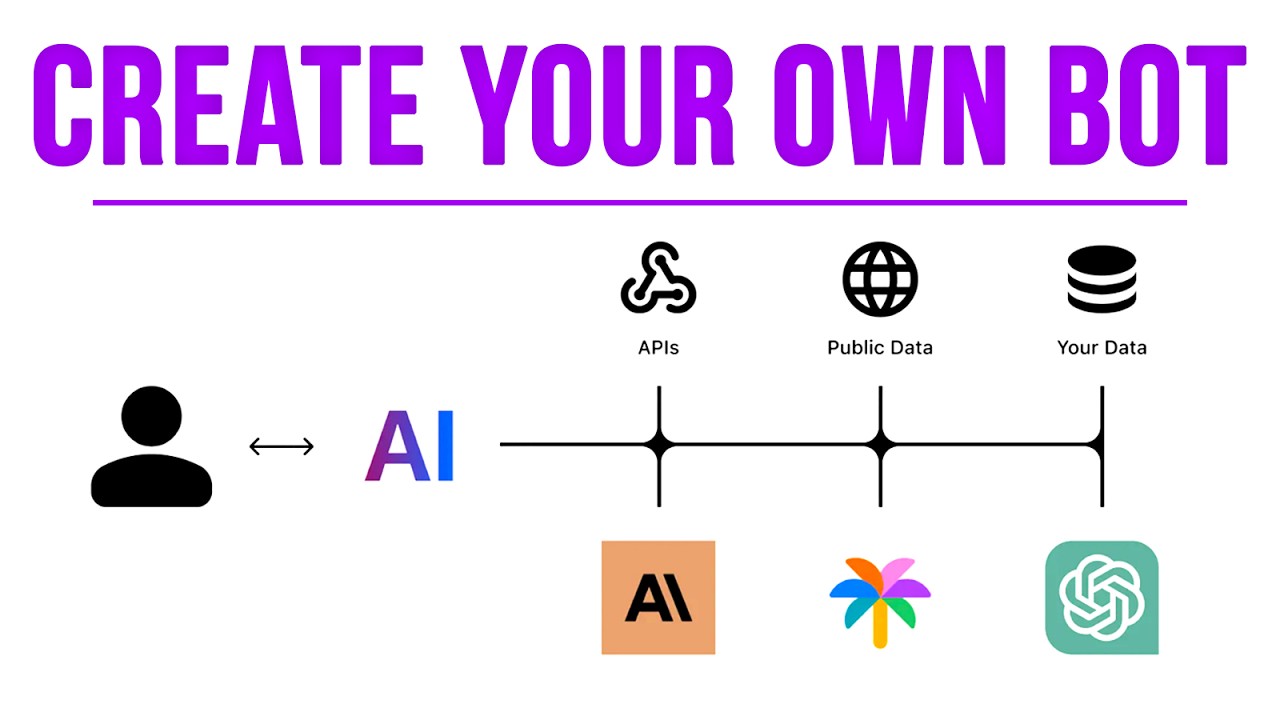
Create Your Own AI Person (For Free)
Keywords
Summary
156 words
Critical Evaluation
Value of the Information & Strength of the Argument
The video provides a high-value, practical tutorial that demystifies the process of creating a custom AI chatbot without coding. The step-by-step demonstration is clear and easy to follow, making it accessible to a broad audience. The argumentation is solid: Wolfe justifies each step, explains the reasoning behind the workflow design (e.g., expanding questions for better data retrieval), and shows real examples of the bot’s responses. However, the video is sponsored by MindStudio, which introduces a potential bias; the tool is presented without critical comparison to alternatives or discussion of limitations. The ethical consideration regarding using MrBeast’s content is briefly mentioned, but not deeply explored.
Scientific Rigor, Source Quality, Title Accuracy
The video is rigorous in its methodology: it uses 11 publicly available interviews and a documentary as training data, and the process is transparent and reproducible. The sources are listed in the description, providing verifiability. However, the quality of the sources is not critically assessed; the bot’s responses are based on MrBeast’s public persona, which may not reflect his private views. The title accurately reflects the content, and the tutorial is well-structured. The sponsor disclosure is clear, but the promotional aspect may affect the perceived objectivity.
205 words
Title / Content Match
The title accurately reflects the content: a tutorial on creating a personalized AI chatbot for free.
Quality & Reliability
7/10
The video provides a clear, step-by-step tutorial on building a custom AI chatbot using MindStudio, with practical demonstrations and explanations. The approach is reproducible and the tool is presented with its limitations. However, the content is largely promotional (sponsored) and lacks critical evaluation of the tool's performance or ethical implications.
Key Moments
Markers derived by PSI from the transcript: the creator did not define chapters.
- Introduction: goal to create an AI MrBeast for YouTube advice.
- Introduction to MindStudio: features, no-code, free beta.
- Gathering training data: selecting 11 interviews and documentary.
- Saving transcripts as text files.
- Creating the bot in MindStudio: initial setup and variables.
- Uploading data source and creating custom instructions.
- Building the automation workflow: input, query, and response.
- Configuring message rules and model settings.
- Publishing and testing the bot with example questions.
- Debugging and final thoughts on applications and monetization.
Cited Sources
- MindStudio — The tool used to build the AI chatbot.
- FutureTools — Matt Wolfe's AI tools directory.
- FutureTools Newsletter — Weekly newsletter for AI updates.
- FutureTools Discord — Community for AI enthusiasts.
- Matt Wolfe's Blog — Personal blog of the creator.
- Mubert — Music generation for the outro.
- Sponsorship/Media Inquiries — Contact form for sponsorships.
- MrBeast Interview 1 — Source of training data.
- MrBeast Interview 2 — Source of training data.
- MrBeast Interview 3 — Source of training data.
- MrBeast Interview 4 — Source of training data.
- MrBeast Interview 5 — Source of training data.
- MrBeast Interview 6 — Source of training data.
- MrBeast Interview 7 — Source of training data.
- MrBeast Interview 8 — Source of training data.
- MrBeast Interview 9 — Source of training data.
- MrBeast Interview 10 — Source of training data.
Concurring Sources
- MindStudio — The tool itself, which is the primary subject of the tutorial.
- FutureTools — A directory of AI tools, which includes MindStudio and similar platforms.
External References
Contribution & Novelties
The video provides a practical, accessible method for creating personalized AI chatbots using publicly available data, without requiring coding skills. It demonstrates a complete workflow from data collection to deployment, including advanced techniques like query expansion and debugging. This empowers individuals to build custom AI assistants for various purposes, from learning to business applications.
Pour aller plus loin :
- Retrieval-Augmented Generation (RAG) — Core technique behind using external data to ground AI responses.
- Prompt Engineering — The practice of designing prompts to guide AI behavior, central to the tutorial.
- No-code development platform — The category of tools like MindStudio that enable building applications without programming.
105 words
Radar Profile
The radar profile shows high scores in information quantity and quality, reflecting the detailed tutorial content. The technical level is moderate, suitable for beginners. The reliability is good but not perfect due to the sponsored nature and lack of critical evaluation.
💬 Très positif. Sur les 30 commentaires analysés, la grande majorité exprime enthousiasme et gratitude pour le tutoriel, certains mentionnant son utilité pratique et son caractère inspirant.