03 LTspice complete training
Keywords
Summary
155 words
Critical Evaluation
Value of the Information & Strength of the Argument
The video offers practical value by demonstrating real-time circuit simulation in LTspice, which is directly applicable to hardware design. The argumentation is clear and logical, progressing from basic interface navigation to more advanced features like parametric sweeps. The presenter explains each step with a hands-on approach, making it easy to follow. However, the depth of explanation is limited; for instance, the reasons behind certain simulation settings or the underlying SPICE syntax are not fully elaborated. The tutorial is more about ‘how to’ than ‘why’, which may leave some viewers with questions about best practices or troubleshooting.
Scientific Rigor, Source Quality, Title Accuracy
The tutorial is scientifically sound in its demonstration of LTspice operations, as the software is widely used and the procedures shown are standard. However, the video does not cite any external sources or references, which limits its scientific rigor. The title accurately reflects the content, as it is indeed a complete training on LTspice. The description provides links to related videos and social media, but no specific references to official documentation or academic sources. The lack of citations reduces the overall reliability for advanced users, but for beginners, the practical demonstrations are sufficient.
204 words
Title / Content Match
The title accurately reflects the content, which is a comprehensive introduction to LTspice.
Quality & Reliability
6/10
The tutorial is practical and demonstrates basic LTspice operations accurately, but lacks in-depth explanations and references to official documentation or sources.
Key Moments
Markers derived by PSI from the transcript: the creator did not define chapters.
- Introduction to LTspice and installation
- Overview of the LTspice interface and file management
- Keyboard shortcuts for placing components (D, R, C, L, V, G)
- Using Ctrl+R to rotate and Ctrl+E to mirror components
- Adding text and SPICE directives
- Configuring simulation parameters for transient analysis
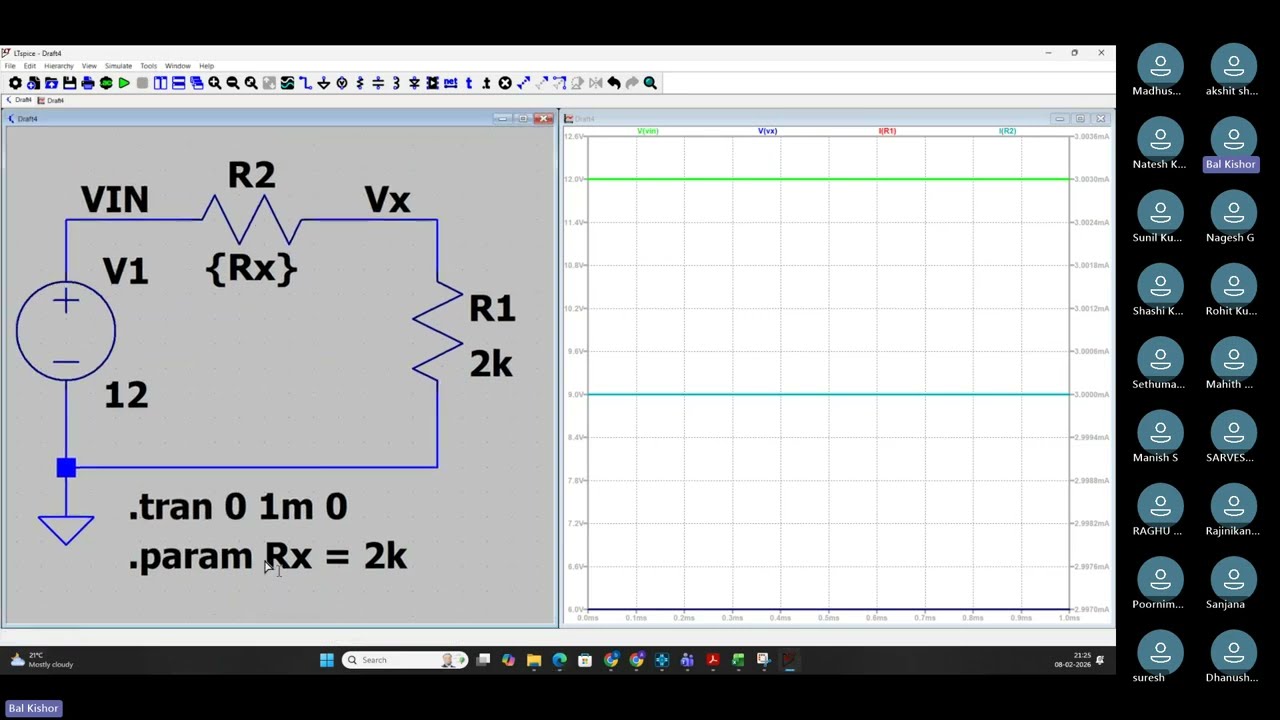
- Building a simple voltage divider circuit
- Assigning component values and net labels
- Running simulation and interpreting results
- Parametric analysis using .step directive
- Saving, printing, and reopening circuit files
Cited Sources
- More video in Microcontroller design techniques — Referenced in the video description as related content.
Concurring Sources
- LTspice official documentation — Official documentation for LTspice, which aligns with the software usage demonstrated in the video.
Contribution & Novelties
The video provides a practical, step-by-step introduction to LTspice, which is valuable for beginners in hardware design. It covers essential features such as component placement, simulation setup, and parametric analysis, which are not always comprehensively explained in other tutorials. The demonstration of a voltage divider circuit with parametric sweep is particularly useful for understanding circuit behavior.
Pour aller plus loin :
- LTspice official documentation — Official resource for LTspice features and updates.
- SPICE (Simulation Program with Integrated Circuit Emphasis) — Background on the SPICE simulation engine.
- Voltage divider — Theoretical basis for the example circuit.
95 words
Radar Profile
The radar profile shows moderate scores across all dimensions, indicating a balanced but not exceptional tutorial. The highest score is in 'quantite_information' and 'fiabilite_globale', reflecting the practical demonstrations and accurate usage of LTspice. The 'niveau_technique' is lower, as the content is introductory and does not delve into advanced features or theoretical underpinnings.
💬 No comments were provided for analysis.